
The brand tour
A brand's week with MaraMinder, in eight screens.
Every screen is the real app, on our practice brand's made-up stores. About two minutes. Selling for several brands? The rep tour
Step 1 of 8 · Today
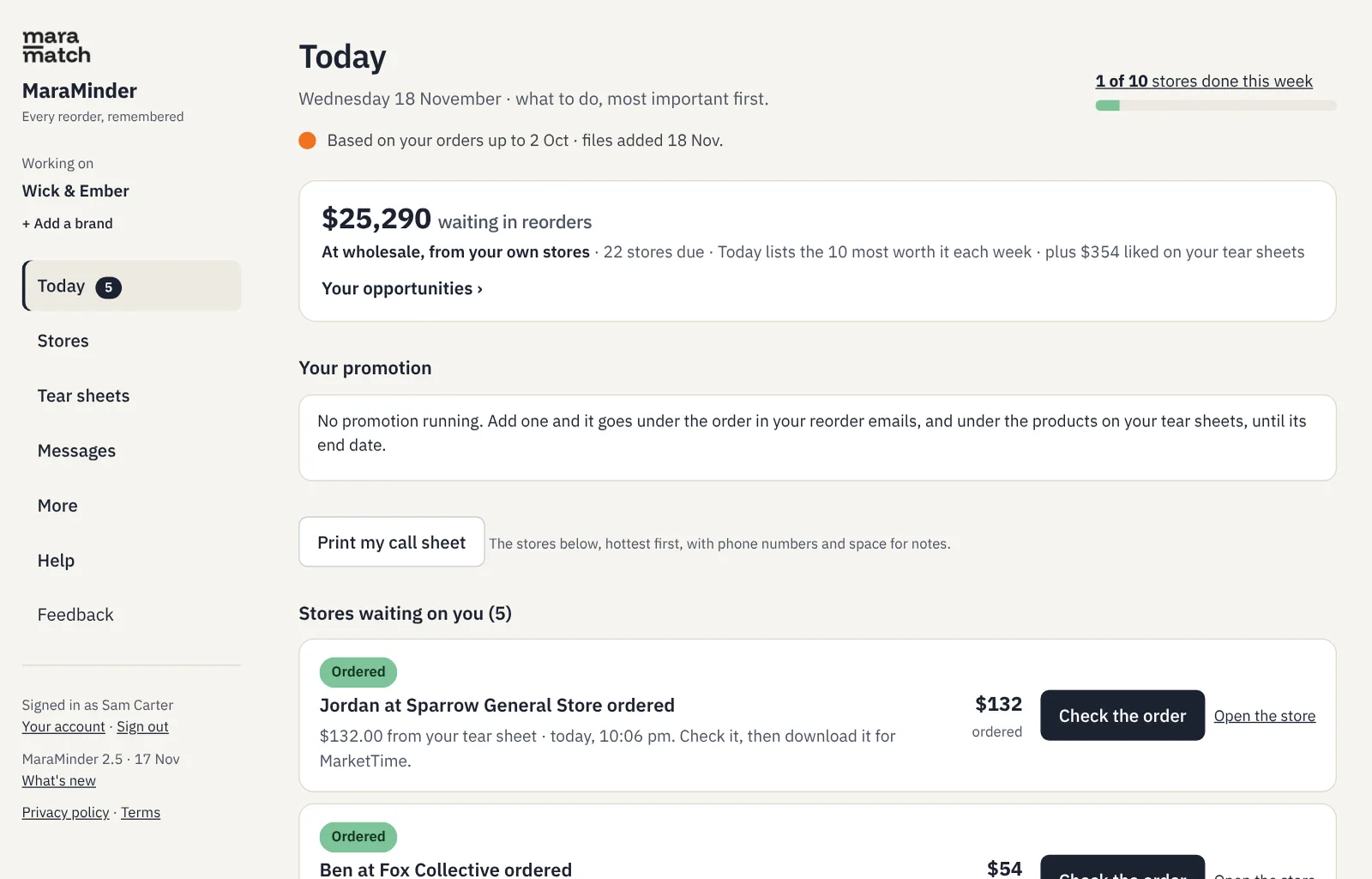
Today: your week, the money first
Today is your home page in MaraMinder, the first thing you see each morning. From your own order history, it shows what's waiting in reorders from your stores, your own promotion, and the stores most worth an email this week.
Step 2 of 8 · A store's page
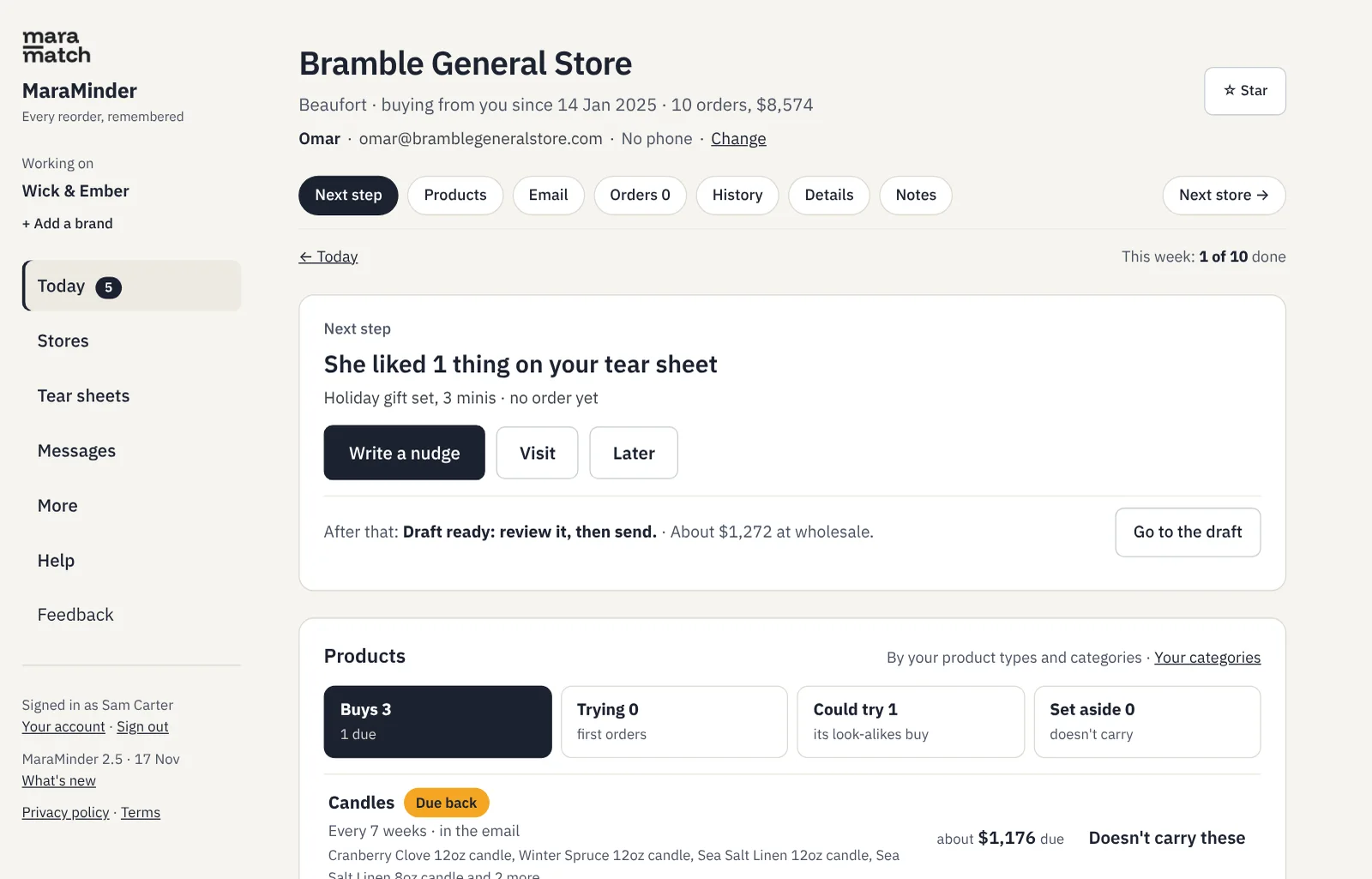
Each store: why now, and the next step
Open a store and the next step is at the top: write the email, visit, or Later. Products shows what she buys, what she's trying, and what she could try next.
Step 3 of 8 · The email
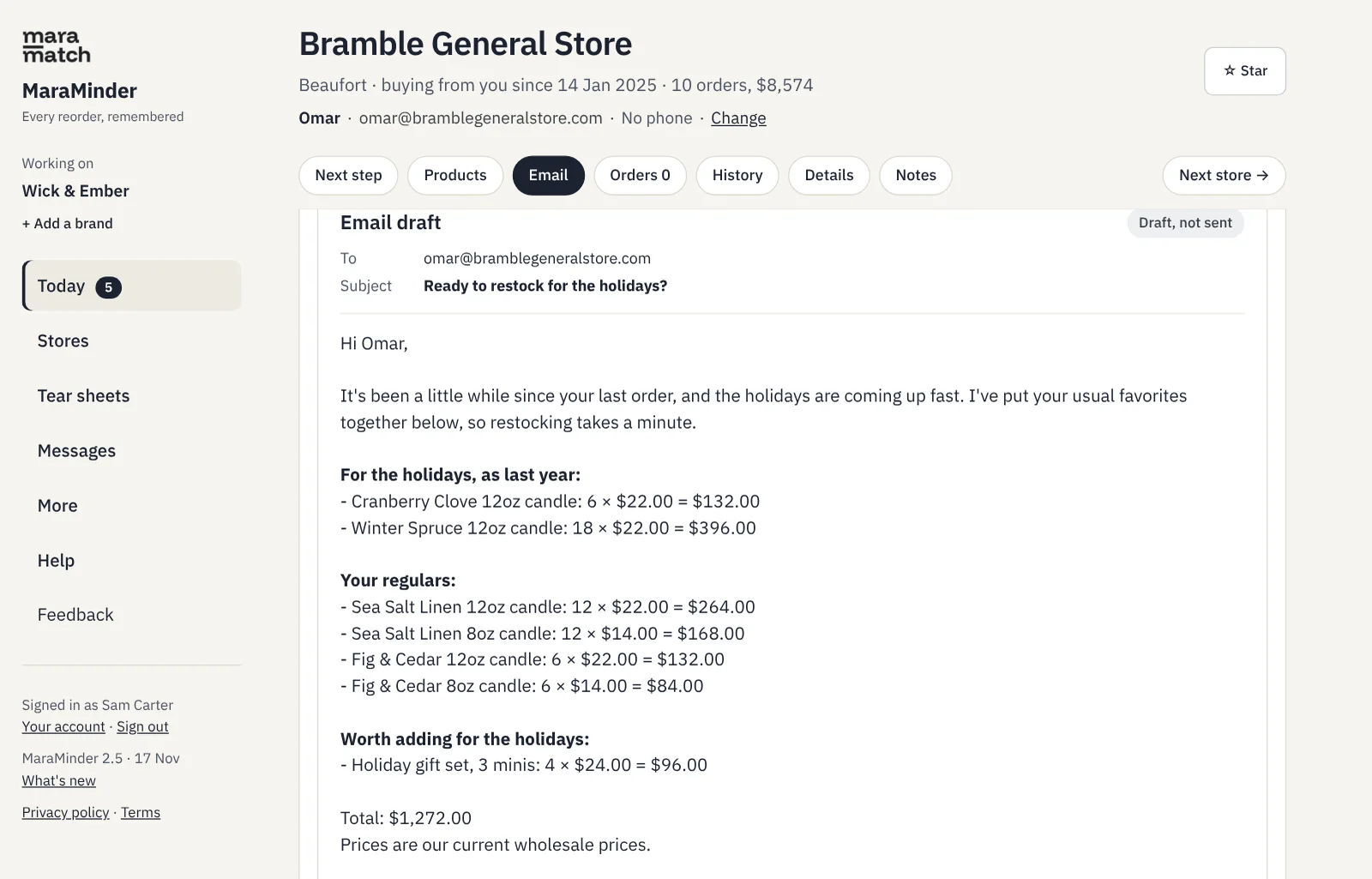
The email: every product that's due, ready to check
Every product she's due to reorder, with your photos, how often she's bought it, and the total. Mara writes the words around it; you check it and send it from your own email.
- What she gets: her own order page, with every product that's due, photos and prices, and quantities she can change
- One button to send the order back to you, with her PO
- You see when she opens it, and Pending orders shows what she sent
Step 4 of 8 · Visit
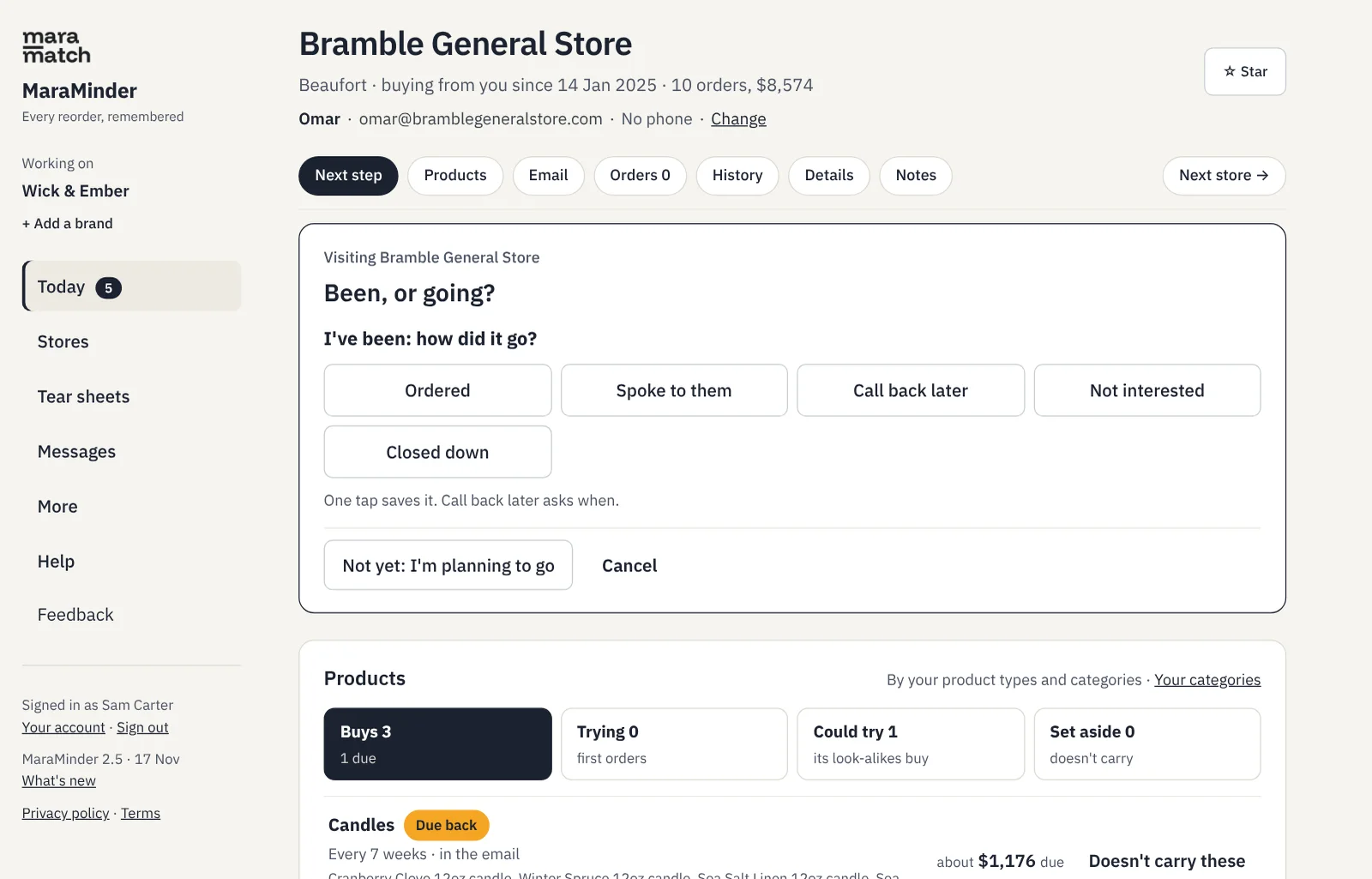
Visiting? One tap to log it
Been in to see her? One tap says how it went, and Call back later asks when.
Seen enough? Try it on your own stores, free.
See what's waiting for youStep 5 of 8 · Faire costs
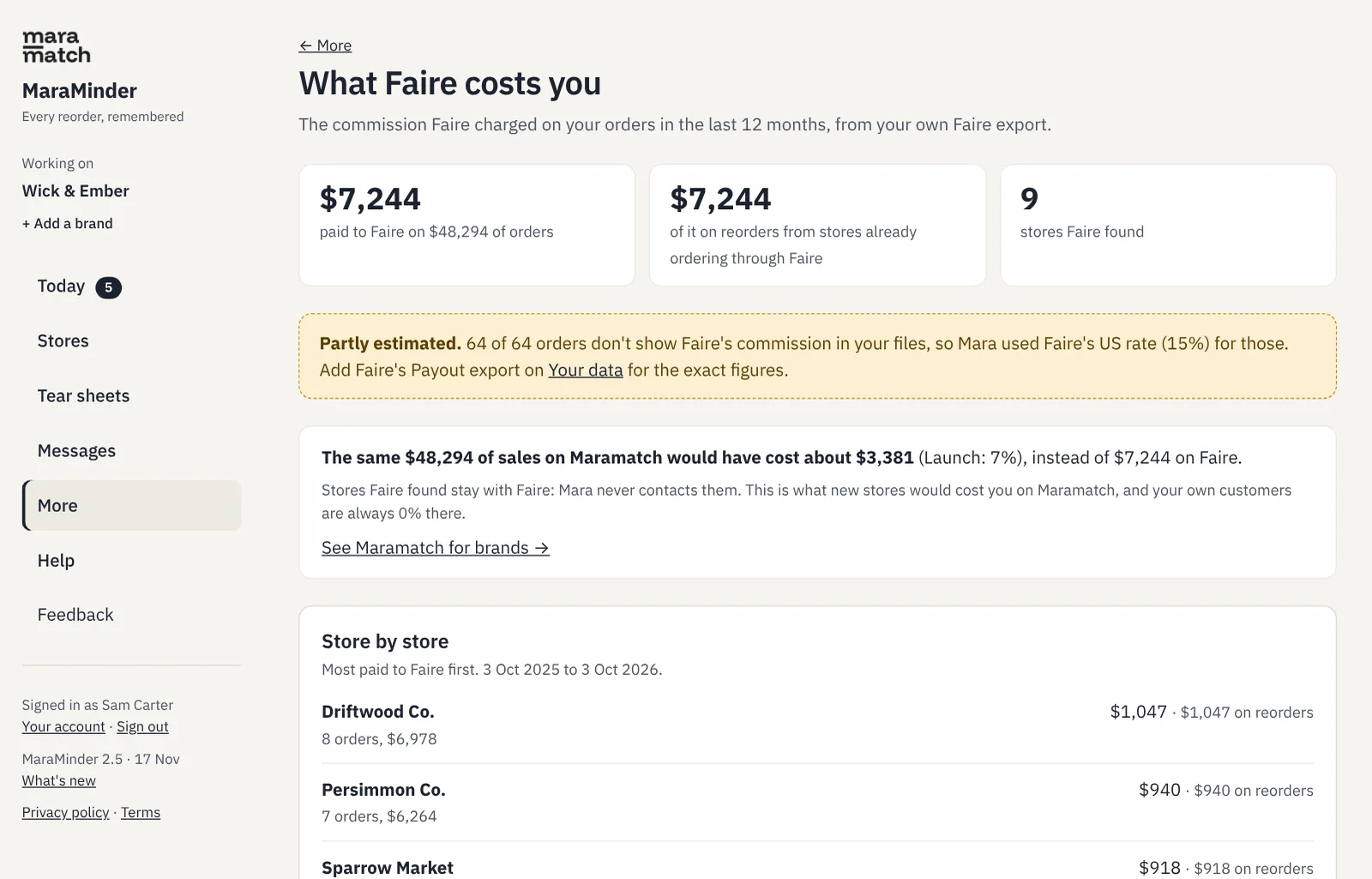
What Faire costs you
From your own Faire export: the commission Faire charged on stores that already knew you, store by store.
Step 6 of 8 · Tear sheets
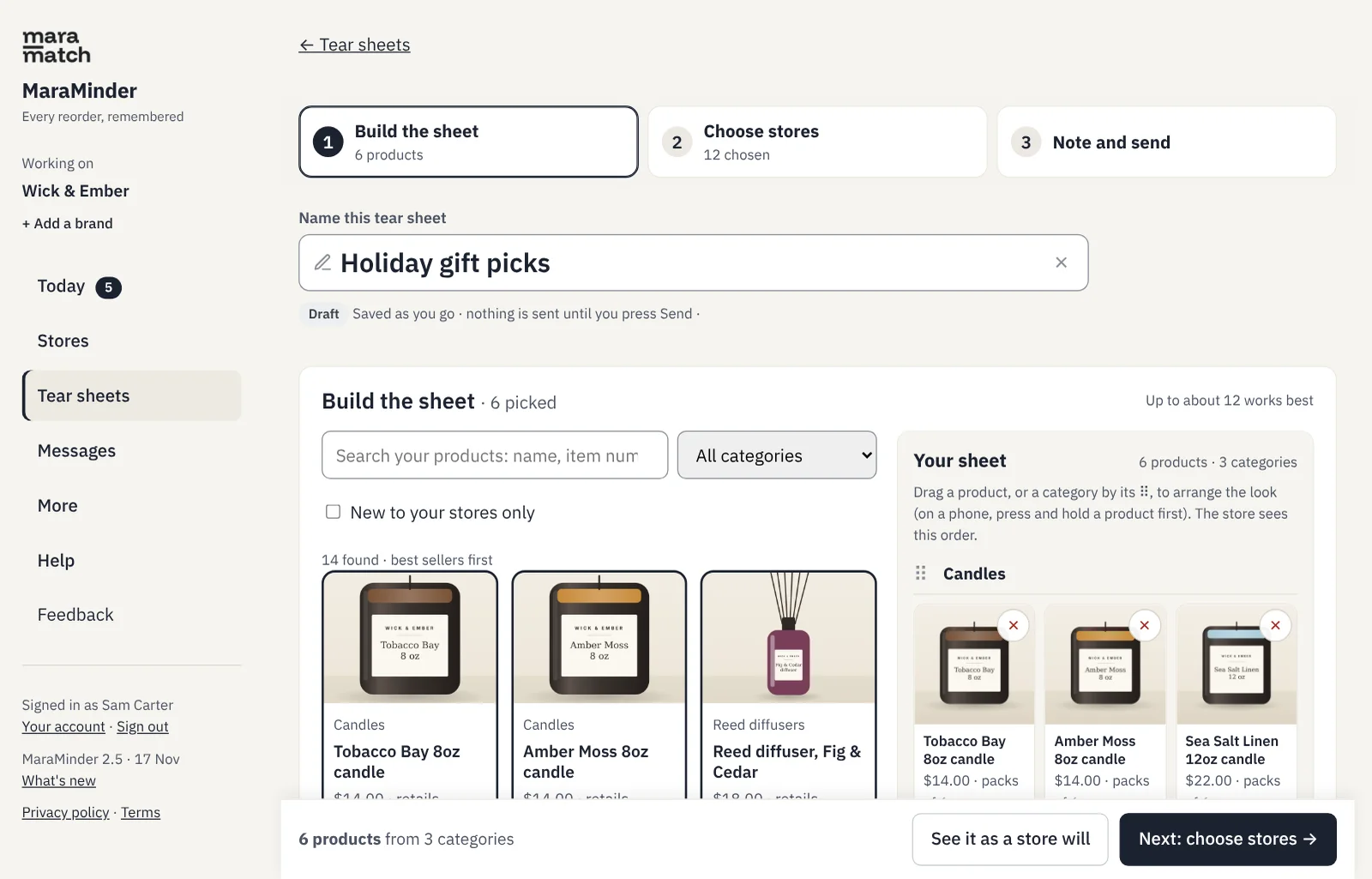
Tear sheets: built in minutes
A tear sheet is a page of products picked for one store, with its own link.
- Start from Mara's Monday Picks, plan one with Mara, or pick products yourself: your products' photos and prices are already in
- Mara suggests the stores that shop like the ones already buying, and can choose hundreds by a rule you describe
- See it as a store will, send yourself a test, then press Send: it goes from your own email, each store its own page, in the background
- Results show who looked, what they liked, what they added and what they asked
Step 7 of 8 · What the store sees
What the store sees
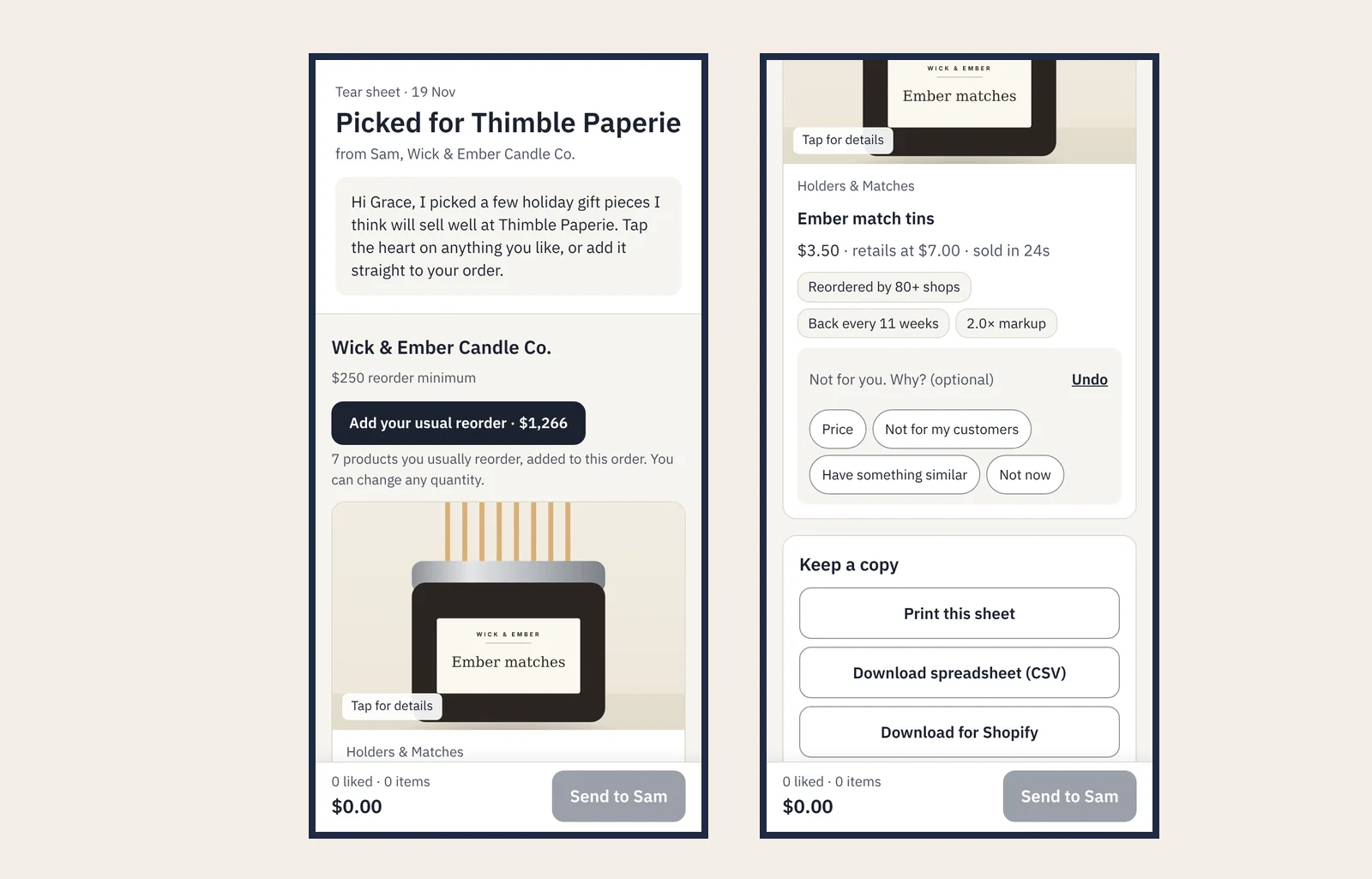
Her own page, on her phone or computer. No sign-in, no app.
- Tap the heart on what she likes, or add it to her order in your pack sizes
- Your minimum shows, and how close she is
- Ask you about a product, or send the order straight back to you: it lands in your Pending orders
- Keep a copy: print the sheet, download it as a spreadsheet for her own system, or as a file for her Shopify
Coming Q4 2026: Shopify. The MaraMinder app for Shopify adds what she orders straight to her shop, with your photos and suggested retail prices. You'll be informed when it's live.
Step 8 of 8 · Results
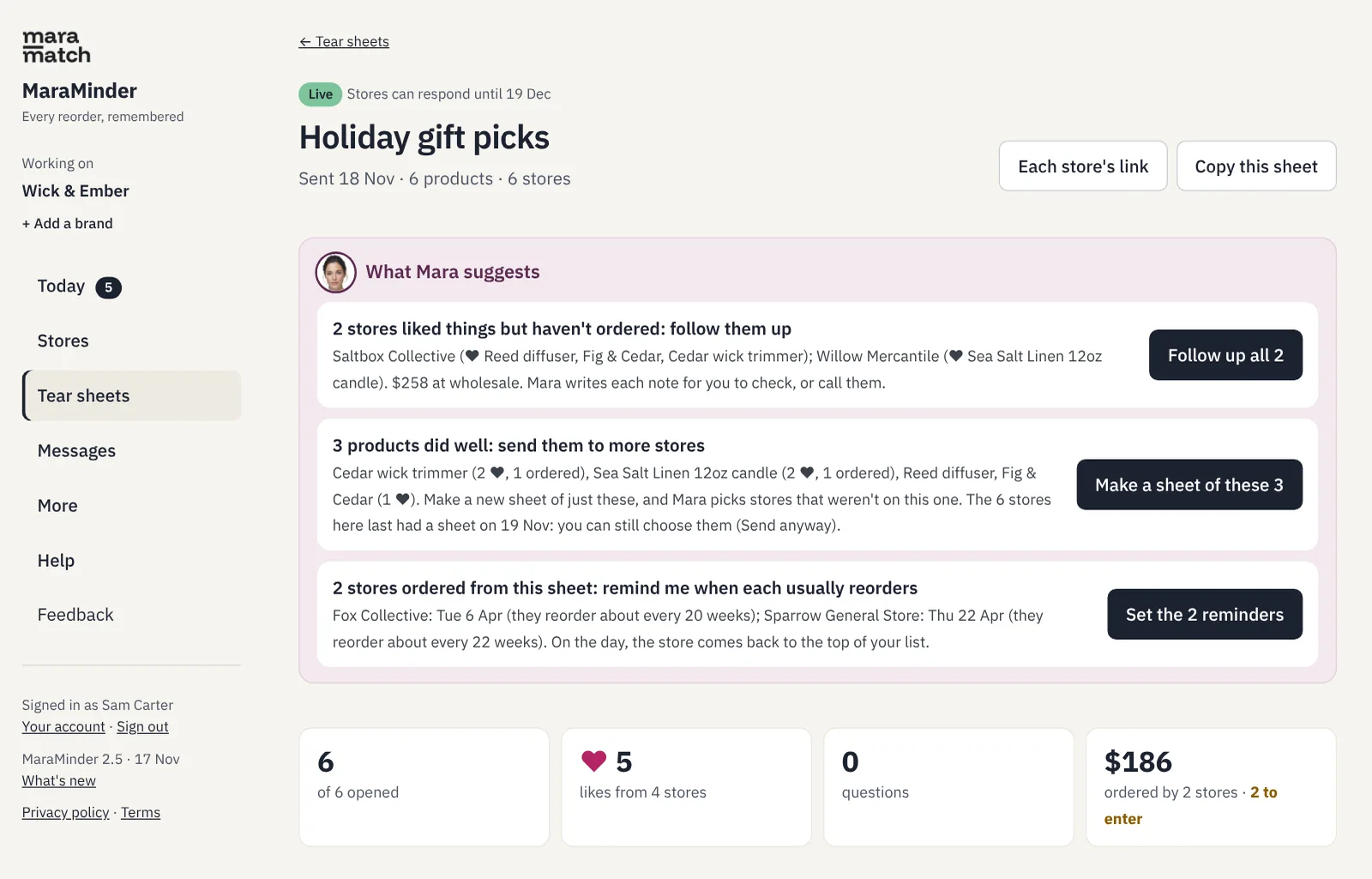
Results: what worked, and what to do next
Every sheet has its own Results page, live from the moment it goes out.
- Who opened it, and what each store liked, ordered, passed on or asked, store by store and product by product
- Orders arrive in Pending orders, marked From a tear sheet: check them and enter them
- Mara suggests the next step: reply to a question, follow up everyone who liked but didn't order (she writes each note for you to check), and send what did well to more stores
- The money ordered at wholesale, and orders still to enter
Now see it on your own stores.
Free to start. No card. Drop your orders file from Shopify, QuickBooks, NetSuite, Faire or a spreadsheet and see what's waiting in your stores, in about a minute.
Built by Nick Spooner, founder of Maramatch. 28 USA trade shows and more than 2,500 conversations with brands, reps, and buyers in Home Decor, Lifestyle, and Gifts since January 2023.